HA-OWS03
ChatGPT Al Chat OWS Headset
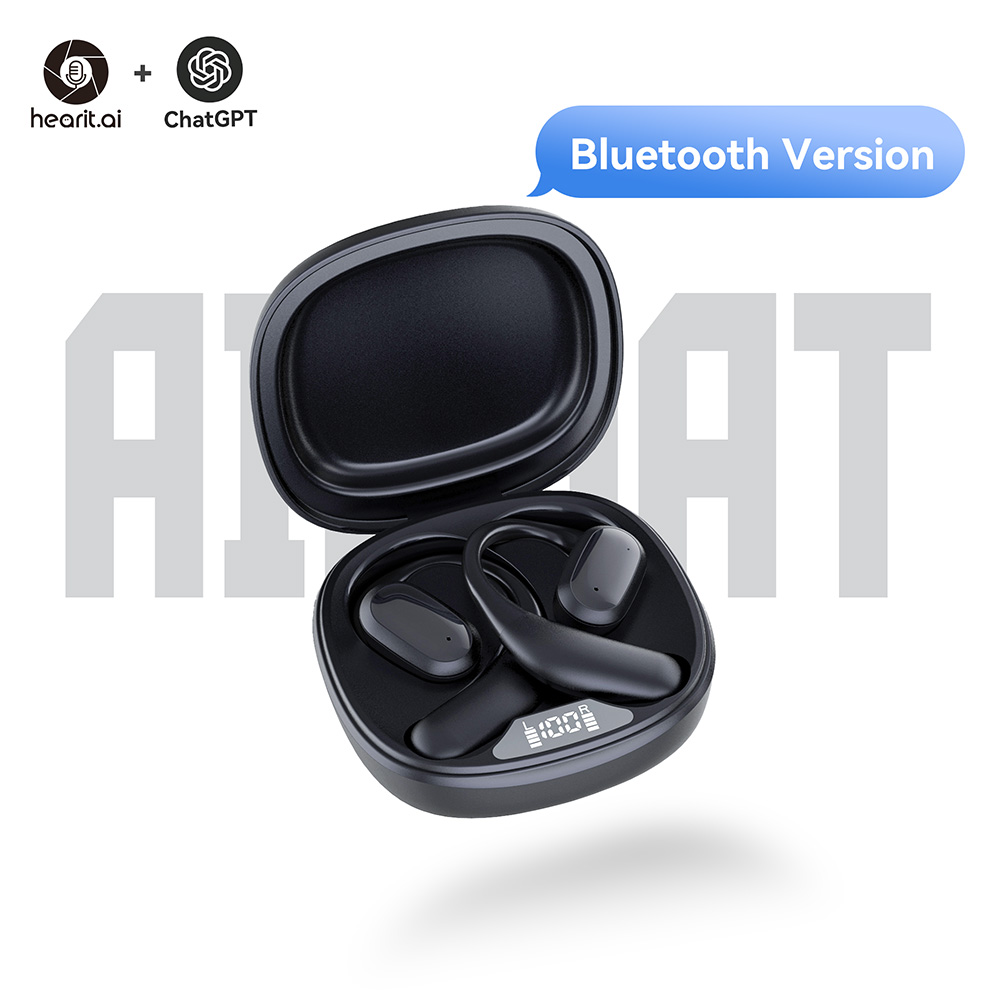
Device Information
- Product Model: HA-OWS03
- Product Type: Open-Ear TWS Earbuds
- Device Guide: OWS03 User Guide
Firmware Update Methods
We regularly release new firmware to optimize performance and add new features. You can update your device using the following method:
Method 1: BLE OTA Update (Wireless)
This method allows you to update firmware wirelessly via Bluetooth using your browser.
Prerequisites
- Chrome, Edge, or Opera browser (Firefox/Safari not supported)
- Download the latest firmware: https://firmware.hearit.ai/HA-OWS03
- Both earbuds powered on and out of the charging case (battery > 30%)
- Keep earbuds close to the laptop/phone to maintain a stable Bluetooth connection
Update Procedure
Step 1: Open the OTA Tool Visit https://hearit.ai/ota/ in Chrome/Edge/Opera.
Step 2: Connect Your Device
- Remove both earbuds from the charging case and make sure they are powered on
- Click Connect on the OTA page
- Select your earbuds in the browser popup (shown as “HA-OWS03 LXXXX” where XXXX is the device ID) and click Pair
Step 3: Select Firmware File
- Click the firmware selection area
- Pick the
.ufwfile you downloaded from https://firmware.hearit.ai/HA-OWS03 - Confirm the file name and size appear on the page
Step 4: Start Update
- Click Start Update
- Wait for the progress to reach 100% (do not close the tab or move out of Bluetooth range)
Step 5: Finish & Reconnect
- The earbuds reboot automatically after the update
- Reconnect/pair with your phone if needed (device shows as HA-OWS03 XXXX for audio and HA-OWS03 LXXXX for BLE control)
For more detailed OTA instructions, see: Hearit.AI BLE OTA Update Guide
Important Notes
⚠️ During Update:
- Do NOT close the browser tab
- Do NOT disconnect the earbuds
- Ensure earbuds have sufficient battery (>30% recommended)
- Keep earbuds close to your computer/phone
- If one earbud disconnects, place both back in the case, reopen the lid, and retry
⚠️ Before Update:
- Ensure both earbuds are charged
- Use Chrome, Edge, or Opera browser only
- Firefox and Safari do not support Web Bluetooth
- If the earbuds are out of sync, tap the touch area 5 times on each earbud to factory reset and re-pair them
Troubleshooting
Device Not Found
- Make sure the earbuds are powered on and in range
- Ensure Bluetooth is enabled on your computer/phone
- Try moving closer to the earbuds
- Refresh the page and try again
- If still not shown, factory reset (tap the touch area 5 times on each earbud), place them back in the case, then retry
Update Failed
- Check earbuds battery level (>30% required)
- Ensure stable Bluetooth connection
- Try the update again with the earbuds closer to your computer
- Re-download the firmware file from https://firmware.hearit.ai/HA-OWS03
- Factory reset both earbuds (5x tap) and re-pair before retrying
Browser Not Supported
- Use Chrome, Edge, or Opera browser
- Firefox and Safari do not support Web Bluetooth
Bluetooth Audio Pairing Issues
- Forget HA-OWS03 XXXX on your phone, then re-pair after the update
- If only one side works, reset both earbuds (5x tap), put them in the case, reopen the lid to auto-resync, then pair again
Technical Support
For assistance with firmware updates:
- 📧 Email: [email protected]
- 🌐 Website: https://hearit.ai